
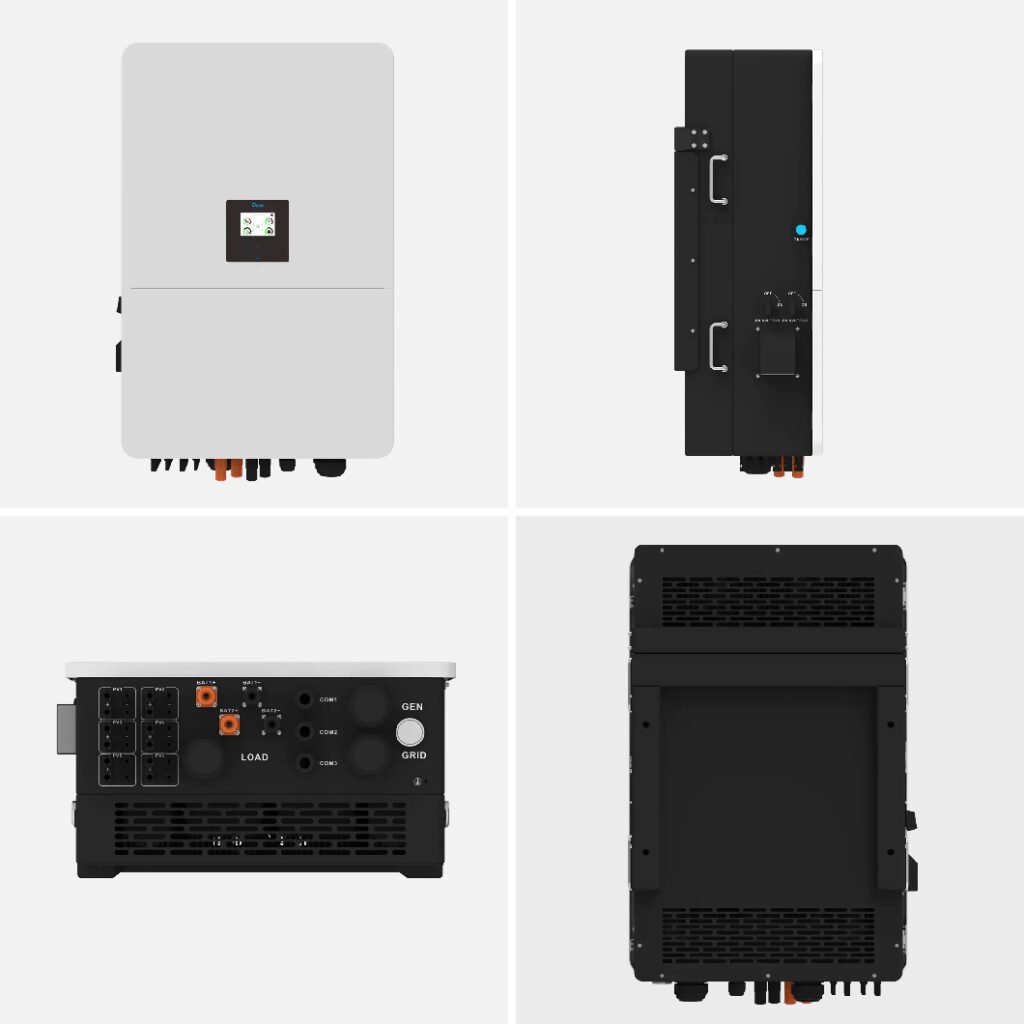
Have you noticed that your solar inverter’s fan never seems to stop? Perhaps it runs throughout the day, continues late into the night, or becomes louder whenever you switch on heavy appliances. Naturally, you may wonder whether something is wrong with your inverter and Why Your Inverter Fan Runs Constantly.
In many cases, an inverter fan running constantly is not necessarily a sign of a fault. The fan helps remove heat from internal components, protecting the inverter from overheating during operation. However, continuous fan operation can also indicate high electrical loads, poor ventilation, dust accumulation, or a developing technical problem.
Understanding why your inverter fan runs constantly can help you distinguish normal operation from a problem that needs attention. More importantly, it can help you protect your equipment and maintain reliable power in your home or business.
1. Your Inverter Is Working Under Heavy Loads
One common reason an inverter fan runs continuously is high electrical demand. When an inverter supplies power to several appliances, its internal components generate heat. The cooling fan then runs to remove that heat and maintain a safe operating temperature.
For example, running an air conditioner, refrigerator, television, and water pump simultaneously can place considerable demand on your inverter. Consequently, the cooling fan may operate for longer periods than usual.
This is particularly noticeable during hot weather or when several appliances remain active for hours. The fan may slow down or stop after you switch off some appliances, depending on the inverter’s cooling design.
What you can do:
- Check which appliances are running.
- Reduce unnecessary electrical loads.
- Avoid operating too many heavy appliances simultaneously.
- Monitor the inverter’s load percentage.
- Check for overload warnings or unusual temperature readings.
If the fan runs constantly even under light loads, investigate other possible causes.
2. High Ambient Temperatures
Your inverter’s surroundings can significantly affect its cooling requirements. In a hot environment, the unit has less opportunity to release heat naturally. As a result, its cooling fan may run more frequently or continuously.
This can happen in Nigerian homes and businesses, particularly during hot afternoons. An inverter installed in a poorly ventilated room may struggle to maintain suitable operating temperatures, even when its electrical load is moderate.
The inverter’s internal temperature matters more than the outdoor temperature alone. Heat from nearby equipment, direct sunlight, and restricted airflow can all contribute to the problem.
To improve cooling, install the inverter in a suitable location with adequate ventilation. Follow the manufacturer’s clearance requirements and keep the unit away from direct heat sources.
3. Poor Ventilation Around the Inverter
An inverter needs enough space to release heat effectively. If it is installed inside a cramped cabinet or against an obstructed wall, hot air may collect around the unit. The cooling fan may then continue running because the inverter cannot cool down properly.
For example, placing boxes or other equipment directly beside the inverter can obstruct its ventilation openings. Similarly, installing the unit in a small enclosed space without suitable airflow can increase its operating temperature.
Check the area around your inverter for anything blocking its air intake or exhaust. Keep the surrounding space clean and follow the manufacturer’s installation instructions.
Good ventilation practices include:
- Maintaining the recommended clearance around the unit.
- Keeping ventilation openings unobstructed.
- Avoiding enclosed spaces without suitable airflow.
- Keeping the inverter away from direct sunlight.
- Ensuring the installation location meets the manufacturer’s requirements.
Never cover the inverter to reduce its fan noise. Doing so can trap heat and make the problem worse.
4. Dust and Dirt Inside the Cooling System
Dust can accumulate around ventilation openings and cooling components over time. This buildup may restrict airflow, making it harder for the fan to remove heat effectively.
In dusty environments, the problem may develop faster. Construction work, nearby roads, and poor housekeeping can expose an inverter to additional dust.
When airflow becomes restricted, the fan may run longer than usual. In severe cases, excessive dust can contribute to overheating or interfere with internal components.
Inspect the exterior ventilation openings for visible dust. If cleaning is necessary, follow the manufacturer’s maintenance instructions and isolate the equipment as directed.
Do not open the inverter or insert objects into its vents. Internal cleaning should be handled by a qualified technician when required.
5. The Inverter Is Charging the Batteries
Your inverter fan may run constantly because the system is charging its batteries. During charging, the inverter or its integrated charging components can generate heat. The cooling fan may operate to keep temperatures within the permitted range.
This can be especially noticeable when the batteries have discharged significantly and need substantial charging current. Charging may also coincide with heavy daytime appliance use, increasing the inverter’s overall workload.
However, fan behaviour depends on the particular inverter model. Some units run their fans according to internal temperature, while others use additional operating conditions or programmed fan controls.
Check whether the fan becomes more active during battery charging. If the behaviour matches the manufacturer’s specifications and no warnings appear, it may be normal.
6. The Inverter Fan Is Designed to Run Continuously
Not every inverter uses the same cooling system. Some models have temperature-controlled fans that start only when cooling is needed. Others may run their fans for extended periods or use different control strategies.
Therefore, a constantly running fan does not automatically mean your inverter is faulty. The important question is whether the behaviour is normal for your specific model.
Consult the user manual to understand how the cooling system should operate. If you have a Deye, Growatt, or another hybrid inverter, check the documentation for the exact model rather than relying on assumptions about the brand.
You should also consider whether the fan’s behaviour has recently changed. A fan that has always operated this way may be normal, while a sudden change could indicate a new problem.
7. A Faulty Temperature Sensor or Cooling Fan
Sometimes, the fan continues running because the inverter is receiving incorrect temperature information or experiencing a cooling-system fault. A temperature sensor may malfunction, or the fan’s control circuit may not operate as intended.
The fan itself can also develop mechanical problems. Worn bearings, damaged blades, or other faults may cause unusual noise or inconsistent operation.
Watch for changes such as:
- A fan that suddenly runs continuously.
- Grinding, rattling, or unusual buzzing sounds.
- Frequent overheating warnings.
- Unexpected inverter shutdowns.
- Fan operation that differs significantly from previous behaviour.
These signs do not prove a particular component has failed. A qualified technician should inspect the inverter and identify the cause before replacing parts.
Never disconnect the cooling fan to stop the noise. Doing so may cause overheating and damage the inverter.
8. Your Inverter May Be Undersized for Your Needs
An inverter that regularly operates close to its rated output may generate substantial heat. Its cooling fan may therefore run for extended periods, particularly when heavy appliances are active.
For example, a household may use a 5kW inverter while running several appliances whose combined demand approaches or exceeds its available capacity. The fan may become more active as the inverter works harder to supply power.
However, fan noise alone cannot confirm that an inverter is undersized. Some models have powerful cooling systems and may run their fans frequently even under acceptable operating conditions.
Check the inverter’s load readings and compare them with your actual appliance demand. If overload warnings occur regularly, a professional assessment can determine whether load management or a larger inverter is appropriate.
Remember that increasing inverter size does not automatically increase battery storage. The complete solar system must be assessed together.
9. How to Check Why Your Inverter Fan Runs Constantly
If your inverter fan never seems to stop, use a few simple observations to narrow down the cause.
Step 1: Check the inverter display
Look for temperature readings, load percentages, fault codes, and warning messages. These details may help explain why the cooling system is active.
Step 2: Observe the electrical load
Notice whether the fan becomes louder or runs faster when heavy appliances switch on. If the behaviour changes with the load, heat generated during operation may be contributing.
Step 3: Inspect the surroundings
Check whether the inverter has sufficient ventilation and whether dust is blocking its external openings. Do not remove covers or touch internal components.
Step 4: Review charging activity
Observe whether the fan runs more frequently when the batteries are charging. Compare its behaviour with the operating instructions for your inverter model.
Step 5: Check for unusual changes
If the fan suddenly becomes noisy or operates differently, record any accompanying alarms or shutdowns. Contact a qualified technician if the change persists or the inverter shows signs of overheating.
10. How to Reduce Unnecessary Inverter Fan Operation
You should not try to stop a fan that is performing necessary cooling. Instead, focus on reducing excessive heat and ensuring the inverter operates under suitable conditions.
Here are practical steps to consider:
- Improve airflow around the inverter.
- Reduce unnecessary simultaneous loads.
- Keep external ventilation openings clean.
- Follow the recommended installation clearances.
- Avoid placing heat-producing equipment nearby.
- Maintain suitable battery charging settings.
- Arrange regular inspections according to the manufacturer’s guidance.
If the fan continues running under light loads in a cool, well-ventilated location, professional diagnosis may be necessary.
Jeho Ashar Energy supplies hybrid inverters, high-voltage inverters, lithium batteries, solar panels, cables, and protective devices. Selecting compatible equipment and ensuring proper installation can help support reliable operation and effective system management and checks Why your inverter fan runs constantly
Explore available products and solar solutions at https://www.abujasolar.com.
Conclusion
If you are wondering why your inverter fan runs constantly, several factors could explain the behaviour. Heavy electrical loads, high temperatures, poor ventilation, dust, and battery charging can all increase cooling demand. In other cases, the fan’s operating design or a faulty sensor may be responsible.
Start by checking the inverter’s load, surroundings, temperature readings, and warning messages. Then compare what you observe with the manufacturer’s instructions for your exact model.
Most importantly, do not disable the fan simply because it is noisy. Proper cooling protects your inverter and helps maintain dependable power.
Final Thought
A constantly running inverter fan deserves attention, but it does not always indicate a fault. Understand what is normal for your equipment, address preventable heat buildup, and seek professional help when unusual behaviour persists.
Learn more about quality solar solutions at https://www.abujasolar.com