What Happens After a Solar Installation? The installation is finally complete. Your solar panels are mounted. Your inverter and batteries are connected. Your home is ready for solar power.
However, what happens next?
Many customers believe installation marks the finish. In reality, it marks the beginning. Your system must undergo proper testing. You also need to understand its operation. Regular monitoring helps maintain reliable performance.
Knowing what comes next is important. It helps protect your investment. It also prevents avoidable mistakes and confusion.
Let’s explore what happens after installation. We will cover testing, monitoring, maintenance, and support.
1. The Solar System Undergoes Final Testing
Before the installer leaves, proper testing is essential. Every major component must work correctly. This confirms that the installation meets requirements.
The installer should check the panels. They should also inspect the inverter and batteries. All electrical connections require careful examination.
For example, a system may appear complete. However, incorrect settings can affect performance. Testing helps identify such problems early.
What Should Be Tested?
A proper final inspection should include:
- Solar panel connections and configuration.
- Inverter operation and settings.
- Battery charging and discharging.
- Electrical protection devices.
- Earthing and cable connections.
- System monitoring and display functions.
- Changeover between available power sources.
The installer should also confirm normal operation. Any warning indicators should be investigated. Do not ignore unresolved installation issues.
2. The Installer Explains How Everything Works
A completed installation should include proper guidance. Customers need to understand their equipment. This makes everyday operation much easier.
Your installer should explain the inverter display. They should also demonstrate battery monitoring. You should understand the basic operating settings.
For instance, you may need to check battery levels. You should also know what overload warnings mean. These details help prevent unnecessary confusion.
Important Things Your Installer Should Explain
Before handover, understand:
- How to switch the system on.
- How to monitor battery percentage.
- What inverter warning lights mean.
- How to check solar generation.
- Which appliances the system supports.
- How to identify unusual system behaviour.
- When to contact technical support.
Ask questions during the handover. Do not pretend to understand unfamiliar controls. Clear explanations help you use solar confidently.
3. You Receive Important System Documents
Documentation is an important part of handover. It provides useful information about your installation. It also helps with future maintenance.
Some customers overlook this important step. However, keeping proper records matters. These documents can support warranty claims. They also help technicians understand your system.
Documents You Should Keep
Request copies of relevant documents:
- Equipment invoices and purchase records.
- Product warranty information.
- Inverter and battery manuals.
- Installation and system specifications.
- Equipment serial numbers.
- Approved system configuration details.
- Contact information for technical support.
Keep these documents somewhere accessible. You may need them months later. Avoid losing important warranty information.
4. Your Solar System Begins Generating Electricity
After testing, the system begins operation. Solar panels capture available sunlight. They convert it into electrical energy.
The inverter then manages the electricity supply. Depending on the system design, power supports appliances. Excess energy may charge the batteries.
For example, sunlight may power your refrigerator. At the same time, the battery charges. This depends on available solar generation.
How Power Typically Flows
A typical hybrid solar system works this way:
- Solar panels generate electricity.
- The inverter manages the generated power.
- Connected appliances receive available electricity.
- Excess energy charges the battery.
- Stored energy supports appliances when needed.
The exact operation depends on configuration. Some systems also use grid or generator input. Your installer should explain your specific arrangement.
5. You Learn to Monitor System Performance
Monitoring helps you understand system behaviour. It shows how your equipment performs. It can also reveal unusual changes.
Many modern inverters provide monitoring displays. Some also support mobile applications. These tools show useful operating information.
For example, you can check daily solar generation. You can also monitor battery levels. Some systems display current electricity consumption.
Important Details to Monitor
Pay attention to:
- Daily solar energy production.
- Battery charging levels.
- Battery discharge patterns.
- Current inverter output.
- Connected appliance consumption.
- Warning indicators and fault messages.
Do not expect identical daily production. Cloud cover and weather affect generation. Dust can also reduce panel output.
Monitoring helps you understand normal variations. It also makes unusual changes easier to identify.
6. You Adjust Your Electricity Usage
Solar power encourages better energy management. Your usage habits may need adjustment. This helps maximise available energy.
For example, daytime is often suitable for heavy appliances. Washing machines can operate during sunshine. Water pumps may also run then.
However, evening consumption relies more on stored energy. Therefore, unnecessary loads should be reduced. This helps preserve battery backup.
Practical Ways to Use Solar Better
- Run suitable heavy appliances during daylight.
- Avoid unnecessary simultaneous appliance usage.
- Switch off unused electrical equipment.
- Monitor battery levels before evening.
- Avoid exceeding inverter capacity.
- Follow the installer’s recommended load limits.
These habits improve energy management. They also help reduce unnecessary battery discharge.
7. You Understand That Solar Production Changes
Solar generation does not remain constant. Weather conditions affect available sunlight. Consequently, daily production can change.
Sunny days generally support stronger generation. Cloudy conditions may reduce available output. Rainy periods can also affect production.
Nigeria experiences different seasonal conditions. Rainy weather may bring extended cloud cover. Harmattan dust can settle on panels.
What You Should Expect
Your system may experience:
- Higher production during clear sunny periods.
- Lower output during heavy cloud cover.
- Changing battery charging times.
- Different production across seasons.
- Reduced generation from dirty panels.
These changes do not automatically indicate faults. Compare performance under similar conditions. Contact a technician when unusual problems persist.
8. Regular Solar System Maintenance Begins
Solar systems require occasional maintenance. They are not completely maintenance-free. Basic care helps protect equipment.
Dust and dirt can accumulate on panels. Inverter ventilation areas may collect dust. Loose connections can also create problems.
However, maintenance does not mean constant adjustments. Follow the manufacturer’s recommendations. Arrange professional inspections when necessary.
Simple Maintenance Practices
- Clean panels when visibly dirty.
- Keep inverter ventilation areas clear.
- Monitor battery performance regularly.
- Check for visible cable damage.
- Watch for unusual warning indicators.
- Inspect mounting structures when appropriate.
- Arrange professional system inspections.
Always prioritise electrical safety. Do not open inverters yourself. Avoid touching exposed electrical connections.
9. You Keep Track of Warranty and Technical Support
Installation does not end your relationship with the supplier. After-sales support remains important. Equipment may require attention later.
Different products have different warranty conditions. Solar panels, inverters, and batteries vary. Their coverage periods may also differ.
For example, a battery may develop an issue. The warranty document explains applicable conditions. Proper records can make the process easier.
What You Should Confirm
Ask your supplier about:
- Product warranty duration.
- Conditions that affect warranty coverage.
- Technical support availability.
- Approved service procedures.
- Replacement and repair processes.
- Routine inspection recommendations.
Also, understand the difference between warranties. Product warranties and installation workmanship warranties differ. Confirm what each one covers.
10. You Recognise Problems Early
Monitoring makes it easier to identify changes. Some issues appear gradually. Others happen suddenly.
For example, battery backup may reduce noticeably. Solar production may also fall unexpectedly. Inverter alarms may become frequent.
These signs deserve proper investigation. Do not assume every problem requires replacement. Sometimes, cleaning or configuration checks help.
Warning Signs to Watch For
- Frequent inverter overload warnings.
- Unusual battery discharge.
- Sudden drops in solar generation.
- Repeated inverter fault messages.
- Burning smells or unusual heat.
- Visible cable or mounting damage.
- Batteries failing to charge normally.
If you notice these problems, respond appropriately. Switch off equipment only when safe. Contact a qualified technician for assistance.
Never attempt dangerous electrical repairs yourself.
11. Your Energy Needs May Change Over Time
Your electricity requirements may increase later. You might purchase additional appliances. Your family or business may also expand.
For example, a homeowner installs solar initially. The system supports lights, fans, and television. Later, an air conditioner is added.
The original system may struggle with this change. Its capacity may no longer be sufficient. Therefore, consult a professional before expanding.
Before Adding New Appliances
Consider these questions:
- Can the inverter support the additional load?
- Is the battery capacity sufficient?
- Can the panels generate enough energy?
- Are the new components compatible?
- Does the system allow safe expansion?
Do not connect additional equipment blindly. Proper assessment protects the entire installation.
12. You Evaluate Whether the System Meets Expectations
After installation, performance should be reviewed. Compare actual operation with agreed expectations. This helps establish whether the system works properly.
For example, your quotation may specify certain appliances. It may also state expected backup hours. Your daily experience should be assessed against those details.
However, remember that backup depends on usage. Weather also affects solar generation. Therefore, evaluate performance fairly.
What Should You Review?
- Are the agreed appliances receiving power?
- Does backup meet realistic expectations?
- Are batteries charging as expected?
- Does the inverter operate without recurring faults?
- Is solar generation reasonably consistent?
- Do you understand how to operate everything?
If performance falls short, contact your installer. Provide useful information about the problem. This makes troubleshooting more effective.
Choosing a Reliable Solar Partner for Long-Term Support
A good solar supplier offers more than equipment. Customers also need reliable technical guidance. Proper installation and after-sales support matter.
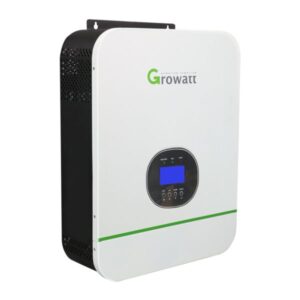
Jeho Ashar Energy supplies solar products for homes. Its solutions also serve businesses and industries. Available products include Jinko solar panels, Deye hybrid inverters, Growatt inverters, and Deye lithium batteries.
The company also supplies essential installation accessories. These include solar rails, cables, and protection devices.
Choosing suitable equipment remains important. So does proper installation and configuration. Customers should confirm compatibility before purchasing.
For solar products and solutions, visit https://www.abujasolar.com.
Conclusion
Solar installation is only the beginning. Proper testing confirms system operation. Customer education supports everyday usage. Monitoring helps track performance.
Maintenance also protects your investment. Warranty documents provide important protection. Technical support helps resolve future problems.
Most importantly, understand your system’s limits. Use electricity responsibly and monitor performance. Contact qualified professionals when problems arise.
Final Thought
A successful solar installation needs proper care. Learn how your system operates. Monitor it, maintain it, and use it wisely.
Learn more about quality solar solutions at https://www.abujasolar.com