
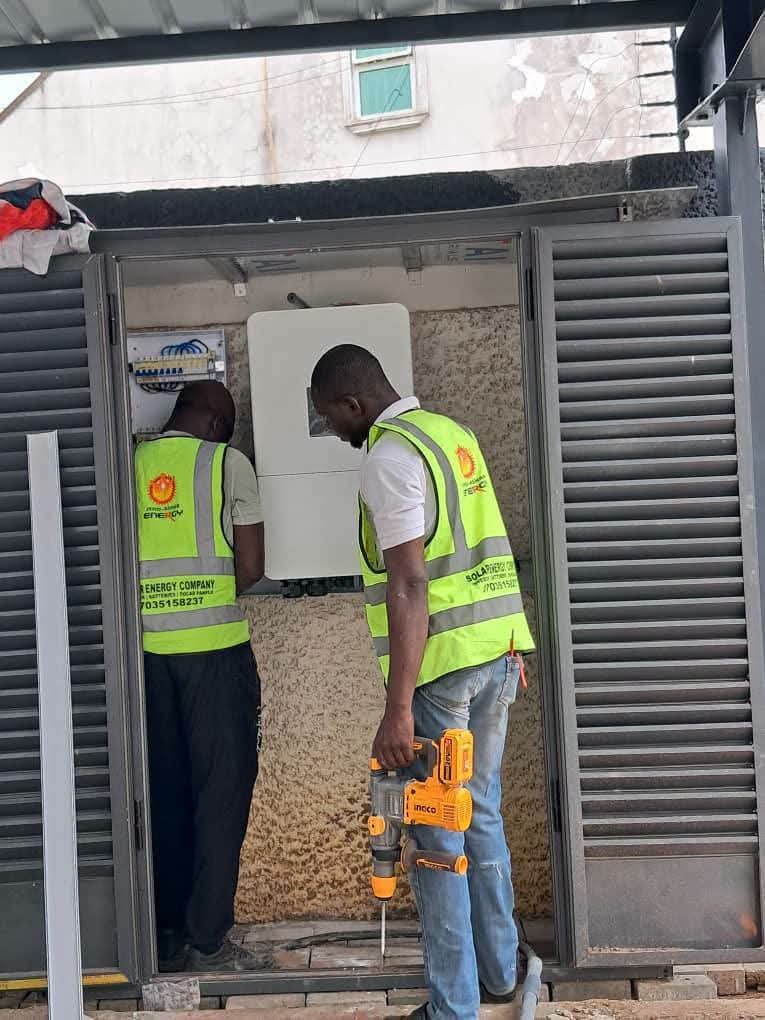
A solar battery does more than store energy.
It also communicates with the inverter.
This communication keeps the system working correctly.
However, communication errors can cause confusion.
Your battery may appear connected.
Yet, the inverter may show an error.
Sometimes, the battery stops charging.
In other cases, charging becomes inconsistent.
The inverter may also display unusual readings.
These problems often involve communication settings.
They can also involve cables or connections.
Therefore, understanding the basics is important.
This guide explains Deye battery communication errors.
It also covers common causes and solutions.
Most importantly, it explains safe troubleshooting steps.
What Is Battery Communication?
Battery communication is a data exchange process.
It connects the battery and inverter.
The battery contains a Battery Management System.
This is commonly called the BMS.
The BMS monitors the battery continuously.
It tracks several important battery conditions.
For example, it can monitor:
- Battery voltage
- Battery current
- Battery temperature
- State of charge
- Charging limits
- Discharging limits
- Protection conditions
- Battery alarms
The inverter needs this information.
It uses the information to manage power safely.
Deye lithium batteries support communication interfaces.
Depending on the model, these include CAN and RS485.
Therefore, communication is not just an optional feature.
It helps coordinate the complete energy system.
Why Does Deye Battery Communication Matter?
A lithium battery should not operate blindly.
Its BMS controls important protection functions.
The inverter therefore needs battery information.
It needs to know what the battery allows.
For example, the battery may limit charging.
It may also limit discharge current.
Furthermore, the BMS can report battery temperature.
It can also report protection conditions.
When communication works properly, the system responds accordingly.
However, communication problems can interrupt this process.
As a result, you may experience:
- Battery communication alarms
- Incorrect battery percentage
- Charging interruptions
- Discharging restrictions
- Unexpected inverter warnings
- Incorrect battery voltage information
- Battery not being detected
Therefore, communication should be checked carefully.
Common Deye Battery Communication Errors
Communication problems can happen for several reasons.
Not every error means the battery is damaged.
In fact, installation issues are common causes.
Here are some common areas to inspect.
1. Loose Communication Cable
A loose cable can interrupt communication.
The cable may look properly connected.
However, one connector may not be seated correctly.
This can happen after maintenance work.
It can also happen during installation.
Therefore, inspect both communication connections carefully.
Do not pull communication cables unnecessarily.
Also, avoid forcing connectors into ports.
2. Wrong Communication Port
Deye batteries can have multiple communication ports.
These ports may serve different functions.
For example, some battery models use dedicated PCS ports.
The PCS port connects with the inverter.
Other ports may support battery-to-battery communication.
Therefore, using the wrong port can cause errors.
Always follow the specific battery manual.
Do not assume every RJ45 port works identically.
3. Incorrect CAN or RS485 Connection
CAN and RS485 are communication methods.
They are not simply interchangeable connections.
A compatible battery may support both interfaces.
However, the correct interface must be selected.
For example, some Deye batteries provide CAN2.0.
They may also provide RS485 communication.
Therefore, check the inverter requirements first.
Then, check the battery communication requirements.
4. Incorrect Communication Cable
Not every network-style cable is suitable.
A cable may physically fit the port.
However, the internal wiring can differ.
This is an important point.
An RJ45 connector does not guarantee compatibility.
The communication pins must match correctly.
The cable must follow the required pin-out.
Therefore, always use the recommended cable.
Avoid randomly replacing it with another cable.
This simple mistake can cause persistent errors.
5. Incorrect Inverter Battery Settings
The physical connection may be correct.
However, the inverter settings may still be wrong.
Deye hybrid inverters use battery configuration settings.
These settings tell the inverter how to communicate.
Depending on the system, settings can include:
- Battery type
- Lithium battery mode
- Battery protocol
- Charging limits
- Discharging limits
- Communication selection
Deye documentation notes that incompatible parameters can contribute to commissioning problems.
Therefore, check the battery configuration carefully.
Do not change advanced settings randomly.
6. Battery and Inverter Compatibility
Compatibility should be confirmed before installation.
A lithium battery may have the correct voltage.
However, voltage alone does not guarantee compatibility.
The communication protocol must also match.
For example, Deye batteries may communicate through CAN.
Some models also support RS485.
Therefore, always check the approved compatibility information.
This is especially important with third-party batteries.
7. Firmware Differences
Firmware can affect communication between devices.
The battery has its own control software.
The inverter also has its own software.
Sometimes, incompatible versions can create problems.
Deye identifies firmware mismatch as one possible commissioning issue.
Therefore, installers should verify firmware compatibility.
However, firmware updates should be handled carefully.
Do not update equipment without proper instructions.
How To Troubleshoot Deye Battery Communication Errors
Troubleshooting should follow a logical sequence.
Avoid changing several settings simultaneously.
Otherwise, identifying the original problem becomes difficult.
Step 1: Check the Battery Status
Look at the battery indicators first.
Check for:
- Alarm indicators
- Warning lights
- Normal operation indicators
- Battery power status
If the battery shows an alarm, investigate it first.
Do not immediately blame the communication cable.
Step 2: Check the Communication Cable
Inspect the communication cable physically.
Check both ends carefully.
Look for:
- Loose connectors
- Damaged cables
- Incorrect ports
- Poor connections
- Unusual cable modifications
Replace damaged cables with approved alternatives.
Step 3: Confirm the Correct Communication Port
Check the battery manual.
Confirm the correct inverter communication port.
For some Deye battery systems, the PCS port connects to the inverter.
Meanwhile, other ports may serve different purposes.
Therefore, always verify the exact model.
Step 4: Check Inverter Settings
Open the inverter battery settings.
Confirm that the selected battery type is correct.
Then, verify the communication protocol.
Also, check the battery-related parameters.
Do not copy settings from another system blindly.
Different batteries can require different configurations.
Step 5: Restart the System Correctly
Sometimes, communication may fail after startup.
A controlled restart can help.
However, follow the manufacturer’s shutdown sequence.
Do not randomly disconnect battery cables.
High-voltage systems require additional caution.
If you are unsure, contact a qualified technician.
What If The Battery Still Does Not Communicate?
Persistent errors require deeper investigation.
At this point, check the complete communication path.
The path may include:
Battery → Communication Cable → Inverter → Settings
A fault anywhere can interrupt communication.
For larger systems, battery-to-battery communication also matters.
Deye systems can use multiple batteries in suitable configurations.
These systems require correct communication connections.
Therefore, multi-battery installations need extra attention.
Communication Problems In Multiple Battery Systems
Multiple batteries can provide greater storage capacity.
However, the installation becomes more complex.
The batteries need to communicate correctly.
The inverter also needs accurate battery information.
Incorrect addressing can create communication problems.
Deye documentation also identifies address duplication as a battery fault.
Therefore, installers should verify battery addressing.
They should also confirm the correct IN and OUT connections.
Never assume every battery connection is identical.
Common Signs Of Communication Failure
Communication problems can appear in different ways.
For example, the inverter may show zero battery percentage.
Another system may show an incorrect percentage.
You might also notice charging problems.
Common signs include:
- Battery not detected
- Communication fault message
- Incorrect SOC reading
- Battery charging stops
- Battery discharge becomes limited
- Battery information disappears
- Repeated inverter alarms
- Battery status appears abnormal
These symptoms can have different causes.
Therefore, proper diagnosis is important.
Can A Communication Error Damage The Battery?
A communication error does not automatically mean damage.
However, it should not be ignored.
The BMS provides important protection and control information.
When communication fails, the inverter may not receive expected battery data.
Some systems may therefore limit operation.
Others may stop charging or discharging.
This behavior can protect the equipment.
Consequently, repeated communication faults should be investigated promptly.
Safety Tips When Troubleshooting
Solar batteries can contain significant electrical energy.
Some Deye battery systems also operate at high voltage.
Therefore, safety should always come first.
Follow these basic practices:
- Switch equipment off correctly.
- Follow the manufacturer’s procedure.
- Never bypass battery protection.
- Avoid exposed electrical terminals.
- Do not modify communication wiring casually.
- Use qualified solar technicians.
- Follow the correct battery manual.
- Verify compatibility before installation.
For high-voltage systems, extra caution is essential.
Never troubleshoot high-voltage battery connections casually.
How Jeho Ashar Energy Can Help
Choosing the right equipment is only one part.
Proper installation is equally important.
At Jeho Ashar Energy, system components matter.
So does correct system integration.
Our product range includes Deye hybrid inverters.
It also includes Deye lithium battery solutions.
The right combination depends on your energy needs.
It also depends on system voltage and capacity.
Furthermore, communication compatibility should be considered.
For reliable solar planning and equipment selection, visit https://www.abujasolar.com.
Practical Tips To Prevent Communication Errors
Prevention is easier than repeated troubleshooting.
Therefore, take these steps during installation:
- Confirm battery and inverter compatibility.
- Use the recommended communication cable.
- Verify the correct communication port.
- Check the communication pin-out.
- Configure the correct battery protocol.
- Confirm battery addressing.
- Follow the manufacturer’s startup sequence.
- Keep firmware versions compatible.
- Document the installed settings.
- Test communication before handover.
These steps can prevent many avoidable problems.
Conclusion
Deye battery communication errors can be frustrating.
However, they are often diagnose.
The problem may involve cables or ports.
It may also involve settings or compatibility.
In addition, firmware can sometimes affect communication.
Therefore, troubleshoot the system systematically.
Start with the physical connections.
Then check the communication settings.
Finally, investigate compatibility and firmware.
Most importantly, avoid unsafe adjustments.
A properly configured system communicates more reliably.
It also manages battery energy more effectively.
Final Thought
A solar system works as one complete system.
The battery and inverter must work together.
Therefore, communication deserves serious attention.
Good installation prevents many avoidable problems.
Learn more about quality solar solutions at https://www.abujasolar.com
